Track your runs. Keep them to yourself.
A running app for iPhone and Apple Watch with GPS tracking, voice cues, and races against your own past runs. Free, with no account, no feed, and no followers.
Download on the App StoreMost runs are nobody
else’s business.
Dagg records the run and leaves out everything that exists for other people to look at: the feed, the followers, the kudos, the leaderboards.
It was made for the early run before work, the slow one you needed, the one in the rain you would never have posted.
dagg (sv.): dew. The quiet formation that appears before the world wakes.
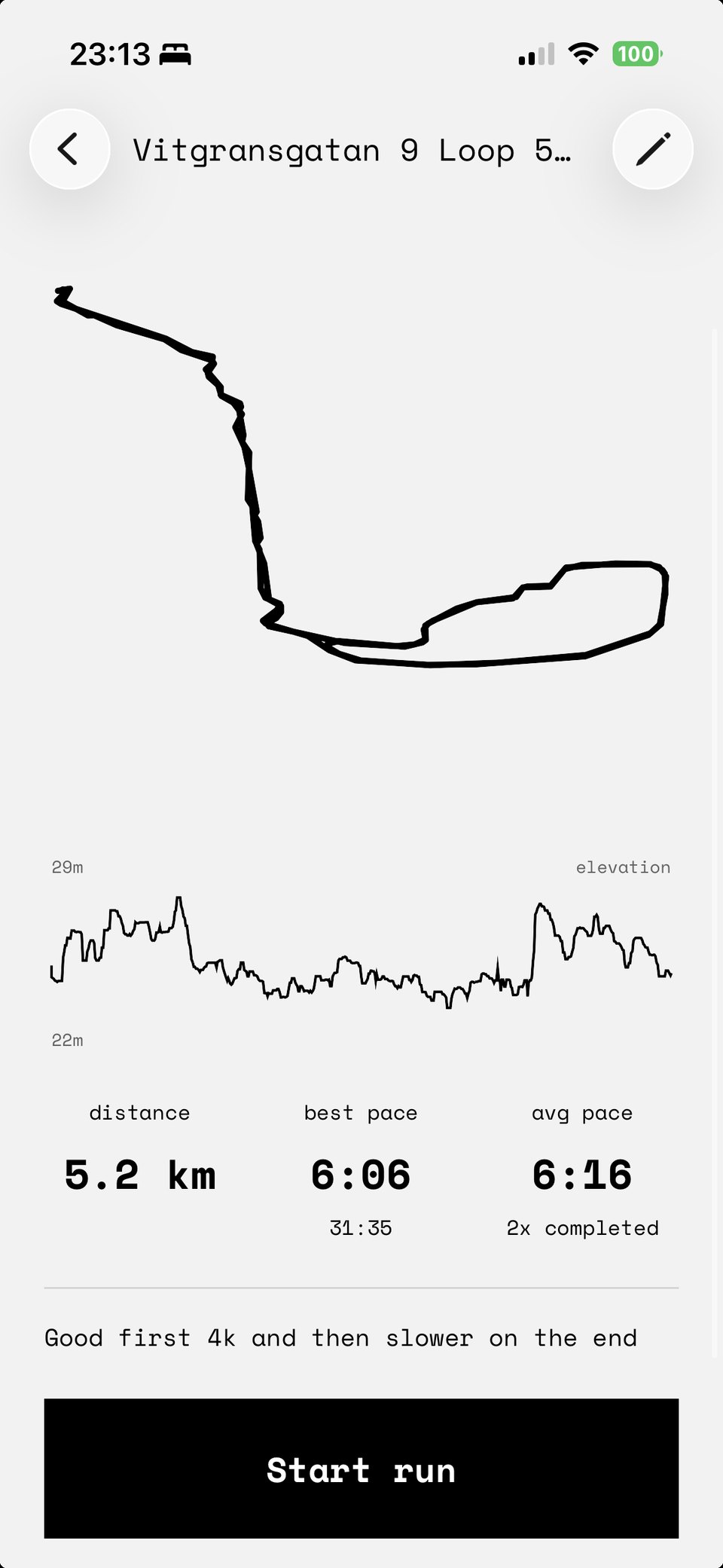
Your run is a drawing.
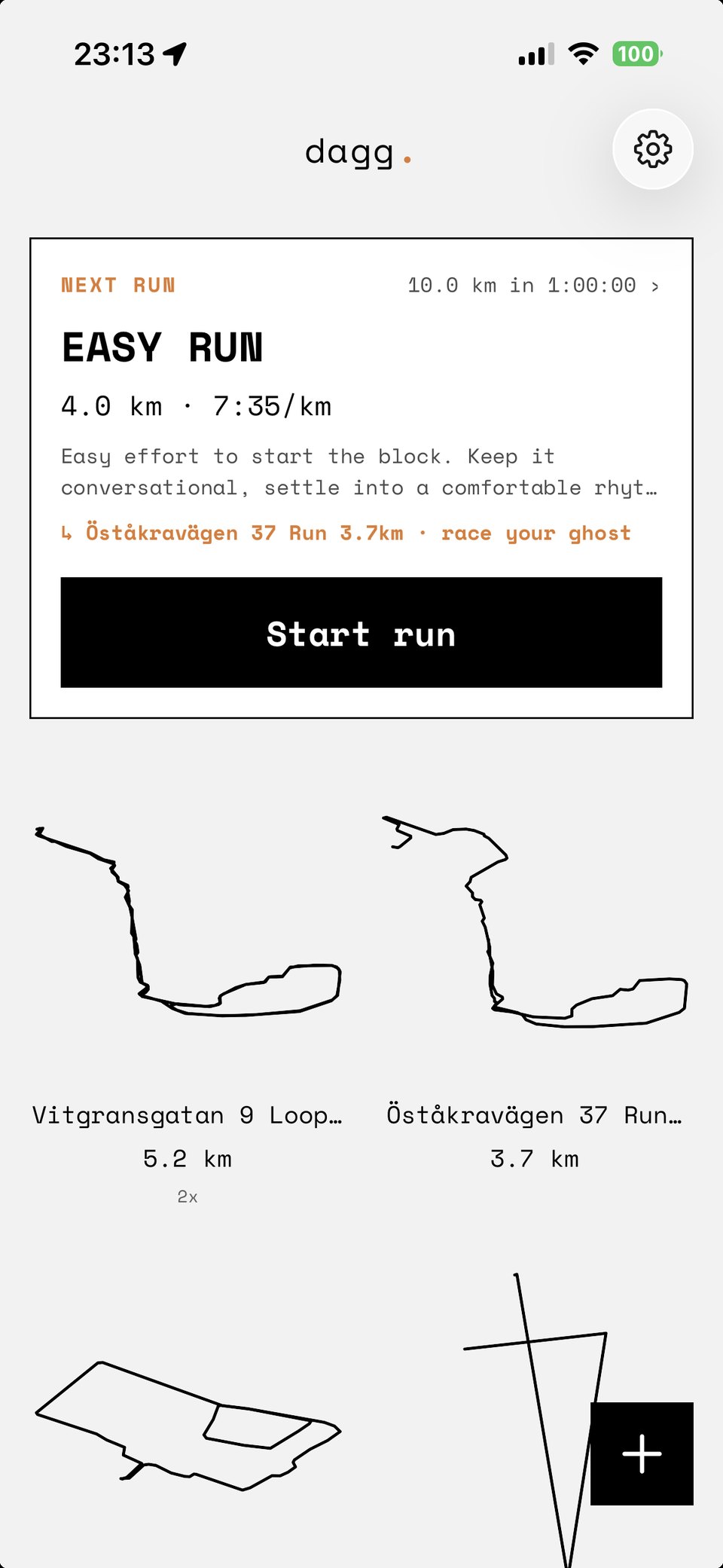
Dagg draws each run as a single line, straight from the GPS, with no map or streets underneath. What you keep is the shape your run made. Pace, splits, and elevation are still there when you want them.
Race your last run.
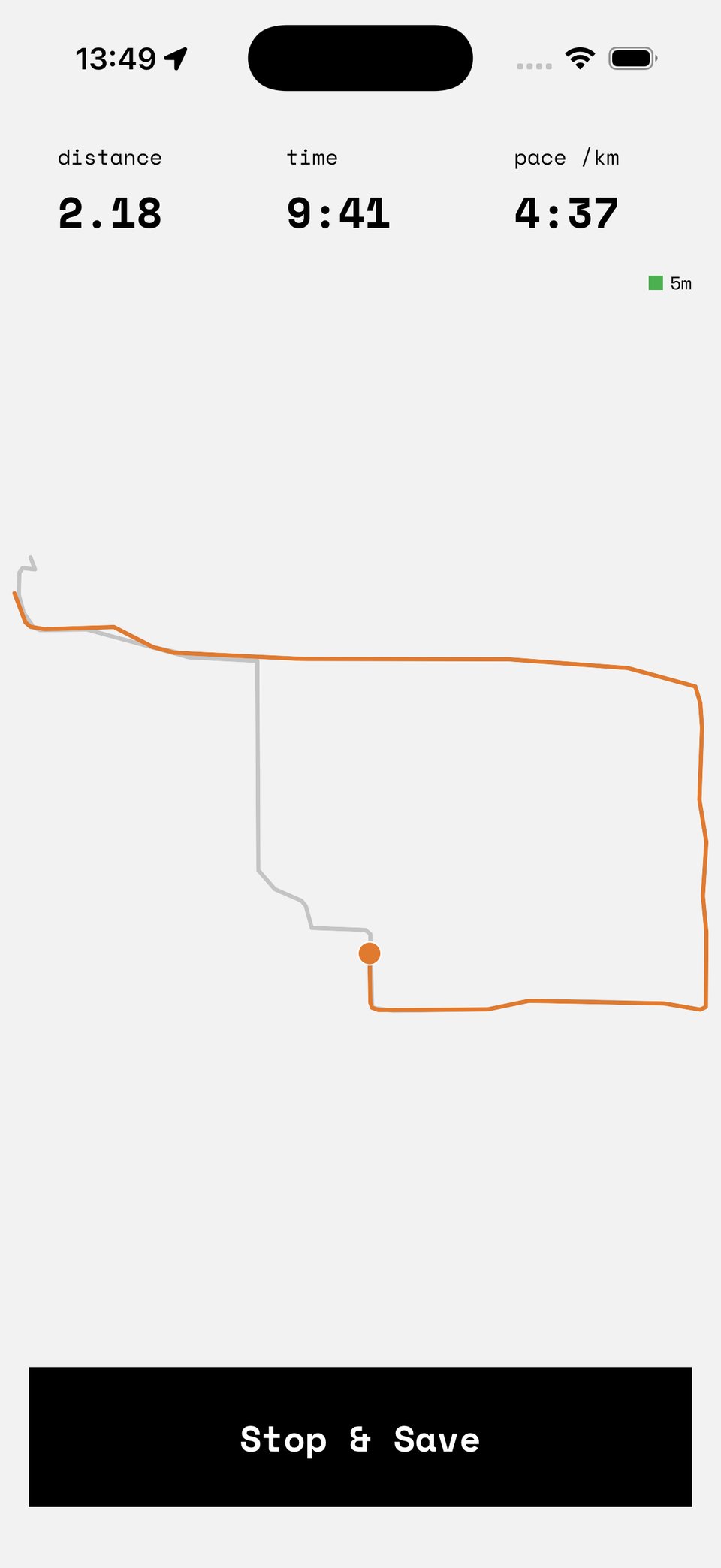
Save a route, and the next time you run it, your earlier run comes along as a ghost. Dagg tells you, in seconds, how far ahead or behind it you are.
Before the world wakes up.
A voice, only when it helps.
Dagg speaks up on a climb, when your pace starts to slip, and at each split. The rest of the time it stays quiet, and you choose how often it talks. Everything it says is worked out on your phone, so nothing gets uploaded. With Dagg Pro, it talks you through whole workouts, rep by rep.
Leave the phone at home.
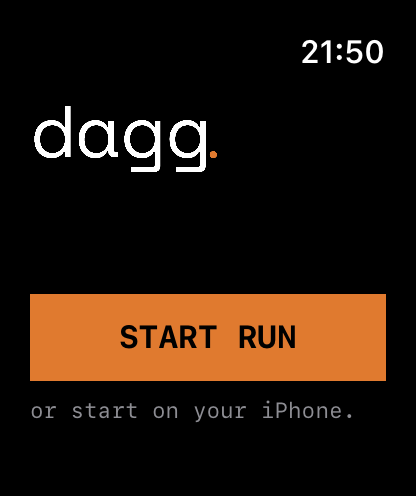
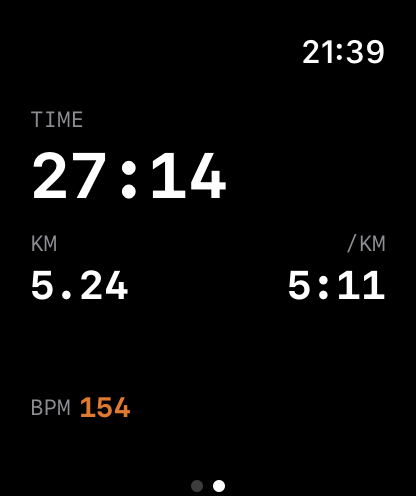
The Apple Watch app records runs on its own, with the watch’s GPS. Time, distance, pace, and heart rate are on your wrist, and the run shows up on your iPhone by itself when you get home. If you do bring the phone, the watch shows its run at a glance and taps your wrist with each coaching cue.
Your run is never shared.
There is no profile to fill in, and no setting that makes a run public. Nobody sees your runs but you.
The numbers that help.
Pace, splits, elevation, and heart rate. Enough to see where you faded and where you kicked. Nothing gets scored or ranked.
No streaks. No guilt.
Take a week off and Dagg won’t mention it. There are no reminders and no streak to lose.
Your runs stay on your phone.
Tracking needs no account. Routes are stored on the device, and cloud sync is off until you turn it on. Only Dagg Pro asks you to sign in, with Sign in with Apple.
Train toward something.
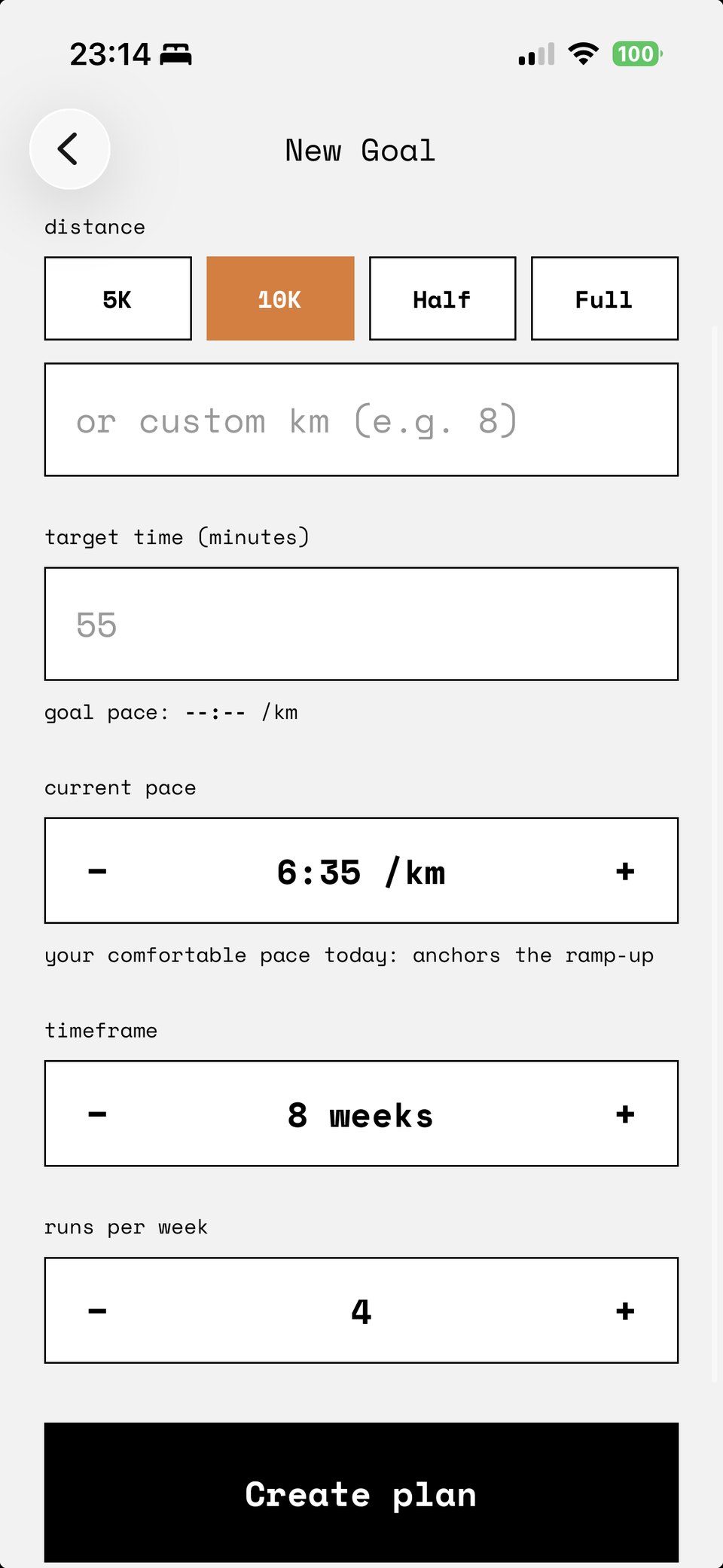
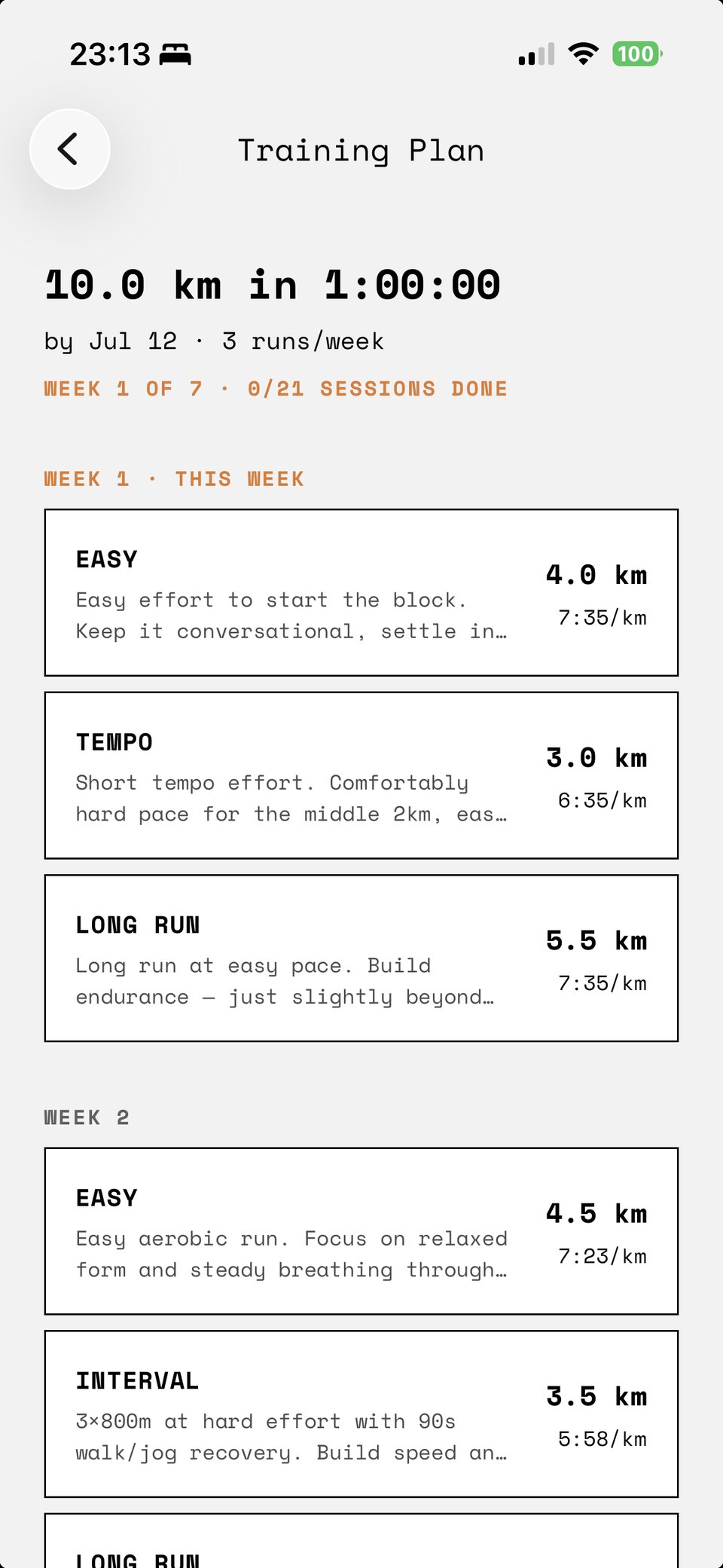
If you’re training for a race (a 10K, a half, a first marathon), Dagg Pro builds a week-by-week plan that starts from your recent runs, not from your goal, and adjusts it after every run based on how that run went.
- A plan to your goal, paced to where you are now.
- Each day opens on the next run, ready to start.
- Guided workouts spoken as you run them: the warmup, every rep, every recovery, each at its own pace.
- Change a session you have not run yet, and the plan fits around your change.
- The plan re-fits after every run, and tells you what it changed.
What we left out.
Open it when you want to run. It won’t come looking for you.
Go for a run.
Install it, press start. No account, no sign-up, nothing to pay.
Download on the App StoreQuestions.
What is Dagg?
Dagg is a GPS running app for iPhone and Apple Watch with no feed and no followers. It tracks your run, draws the route back as a shape, speaks coaching cues when they help, and lets you race ghosts of your own previous runs. The name is the Swedish word for dew.
Is Dagg free?
Run tracking is free and complete, including the Apple Watch app, audio coaching, ghosts, splits and GPX export. There is no trial and nothing is held back. Dagg Pro, the training plan, is a separate optional subscription.
How much does Dagg Pro cost?
$3.99 a month, with a one week free trial, billed through Apple and cancellable anytime. Prices in other countries are set by Apple and shown before you subscribe. The subscription pays for the servers that build your plan, and nothing more.
Does Dagg need an account?
Not for run tracking. Install it and run: no account, no email address. An account is only required for Dagg Pro, which uses Sign in with Apple so your plan and subscription can follow you to a new phone.
Does Dagg have voice coaching?
Yes. Dagg speaks hills, fatigue, splits and pace as you run, and Dagg Pro guides a full workout aloud, with the warmup, every rep and every recovery spoken at its own pace. The free voice coaching is worked out and spoken by the phone itself, so nothing is uploaded to hear it, and you choose how often it speaks.
Does Dagg work on Apple Watch without an iPhone?
Yes. The Apple Watch app records runs on its own using the watch GPS, with time, distance, pace and heart rate on your wrist. Leave the phone at home and the run reaches your iPhone by itself when you get back. More about Dagg on Apple Watch.
Where are my runs stored?
On your phone. Every route is kept on the device, and cloud sync stays off until you turn it on. Nothing you run is ever made public, and there is no way to share a run publicly even if you wanted to.
How is Dagg different from Strava?
Strava is built around an audience: a feed, followers, kudos, clubs and segment leaderboards. Dagg has none of those and cannot be made to have them. It tracks the same run, adds an adaptive training plan, and keeps the result to yourself. See the full comparison with Strava, Runna and Nike Run Club.
Is Dagg available on Android?
No. Dagg is an iPhone and Apple Watch app and requires iOS 16.4 or later. There is no Android version and none is planned.