How the coach builds your plan.
When you give Dagg a race, it builds a week-by-week plan and then re-fits it after every run. This page covers what happens in between: what the AI decides, what your phone decides, and what leaves your phone (very little).
Every day it comes down to one card: the next run, ready to start.
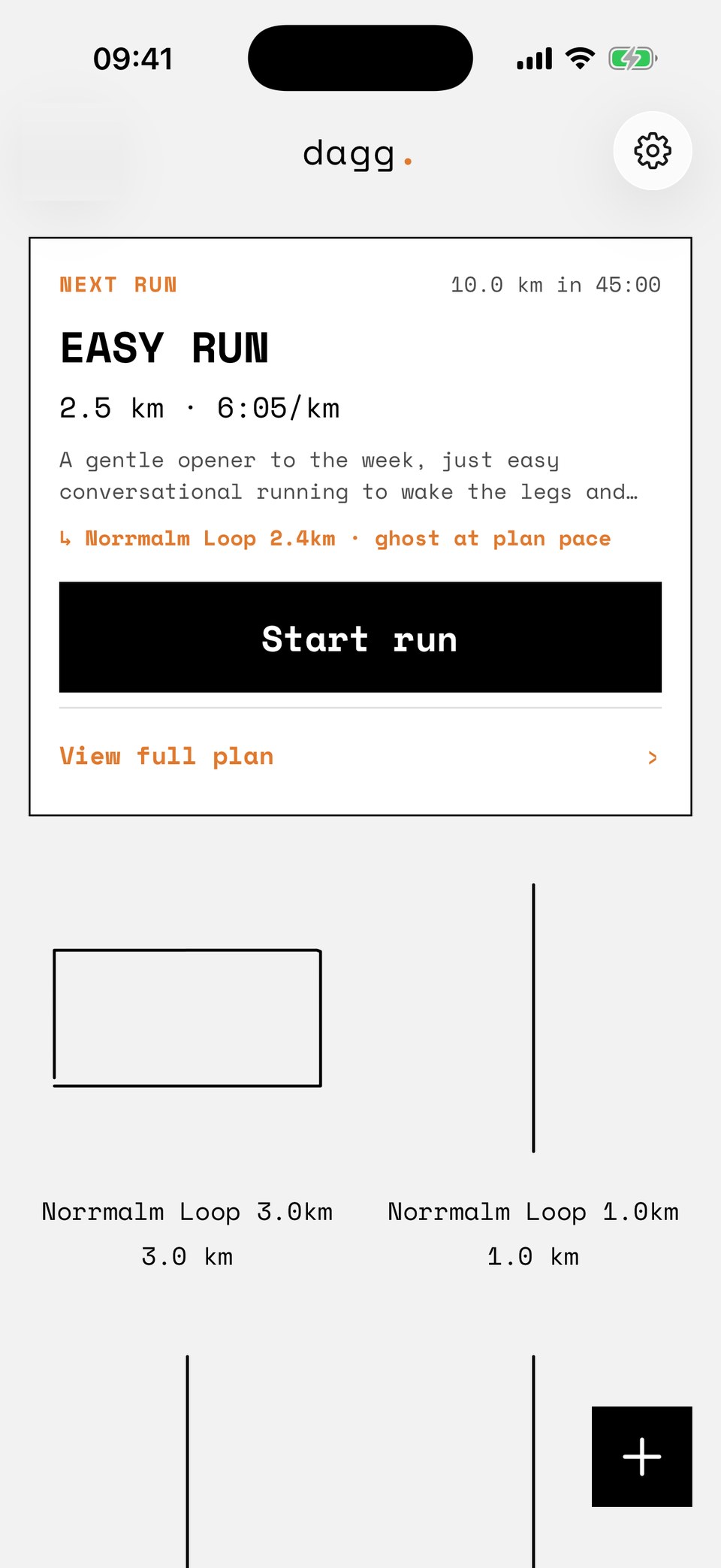
A goal takes five fields.
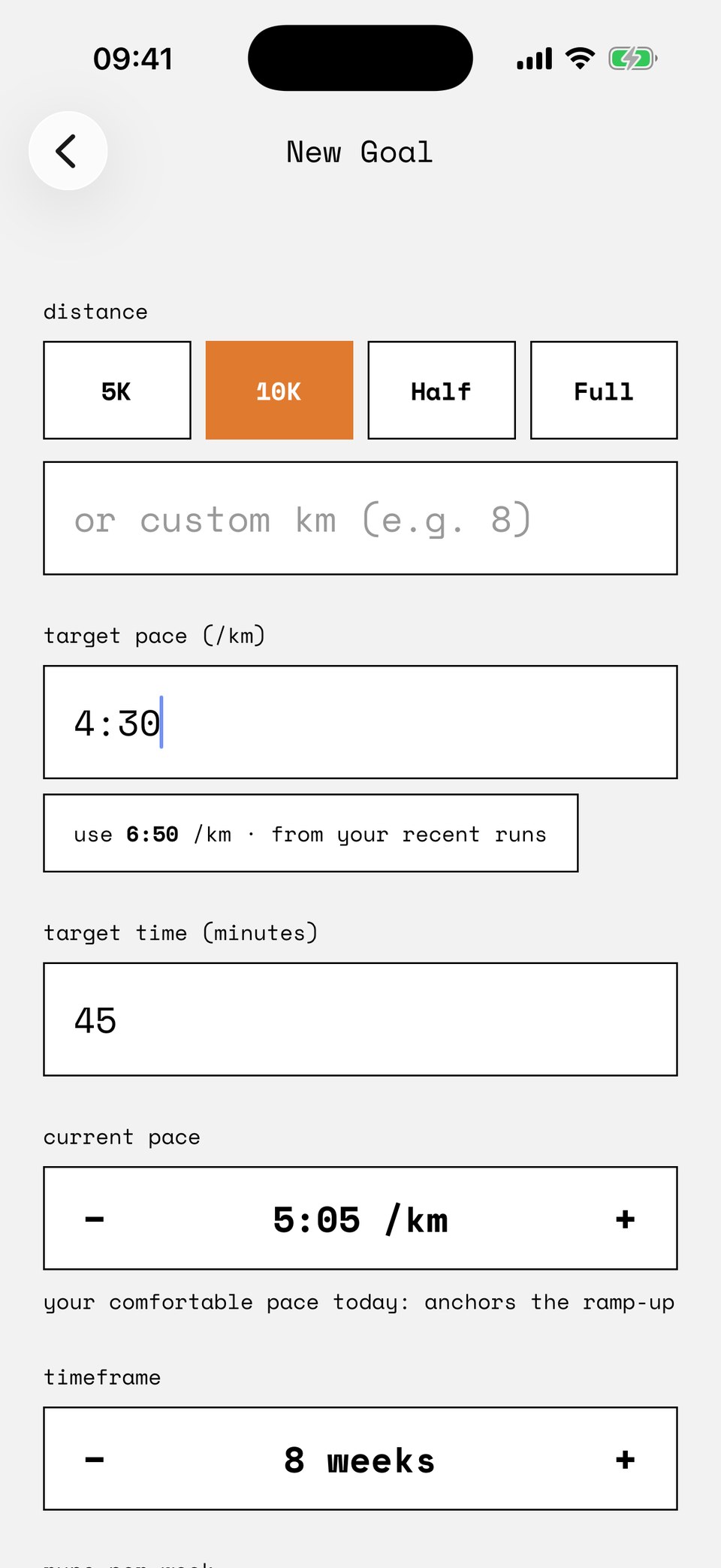
A goal is a distance, a target, and how often you want to run. Pick the race, set a target pace or a target time (each rewrites the other as you type), say how many weeks you have and how many runs a week you can give it.
Dagg fills in the rest from your own running: it suggests a target projected from your recent runs, and it reads your current comfortable pace from your last completions. That current pace anchors the plan. The first weeks start where you are, not where the target is.
If the target looks ambitious for the time you gave it, Dagg says so. Then it builds the plan anyway. Your race, your call.
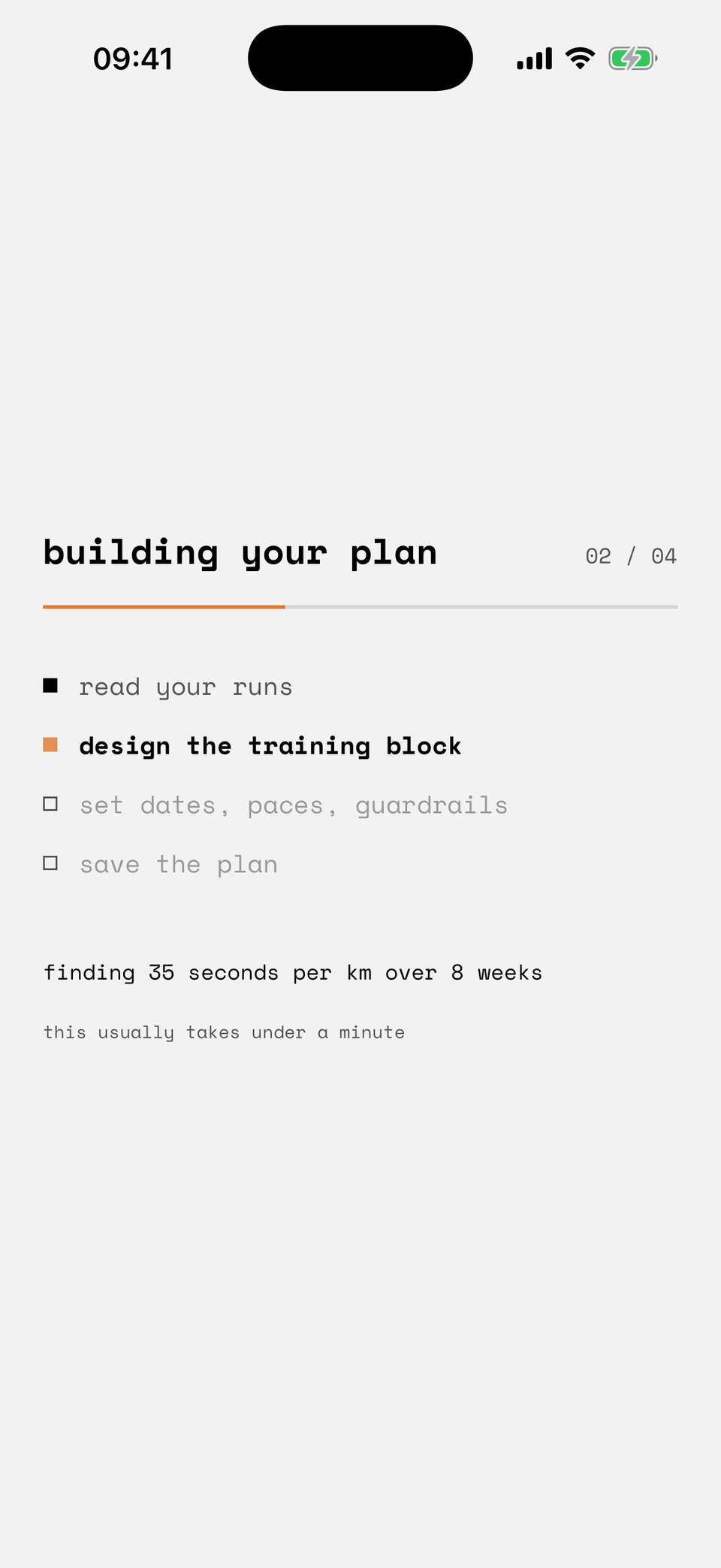
The minute it takes.
Building a plan takes thirty to sixty seconds, and Dagg shows you what it is doing the whole time. You watch four steps happen: read your runs, design the training block, set dates, paces, guardrails, save the plan. The lines underneath are your own inputs, read back to you: how far you ran last week, the gap between where you are and where you want to be.
The work is split in two:
- The coach decides the structure. Which weeks hold which sessions, their types and distances, and the note on each one. That part takes judgment, so an AI model does it.
- Your phone computes every number. Dates, pace zones, the volume ramp, which of your saved routes fits each session. The model is never asked to do calendar math or set a pace.
The progress bar is an estimate, and its last step only fills once the plan is saved.
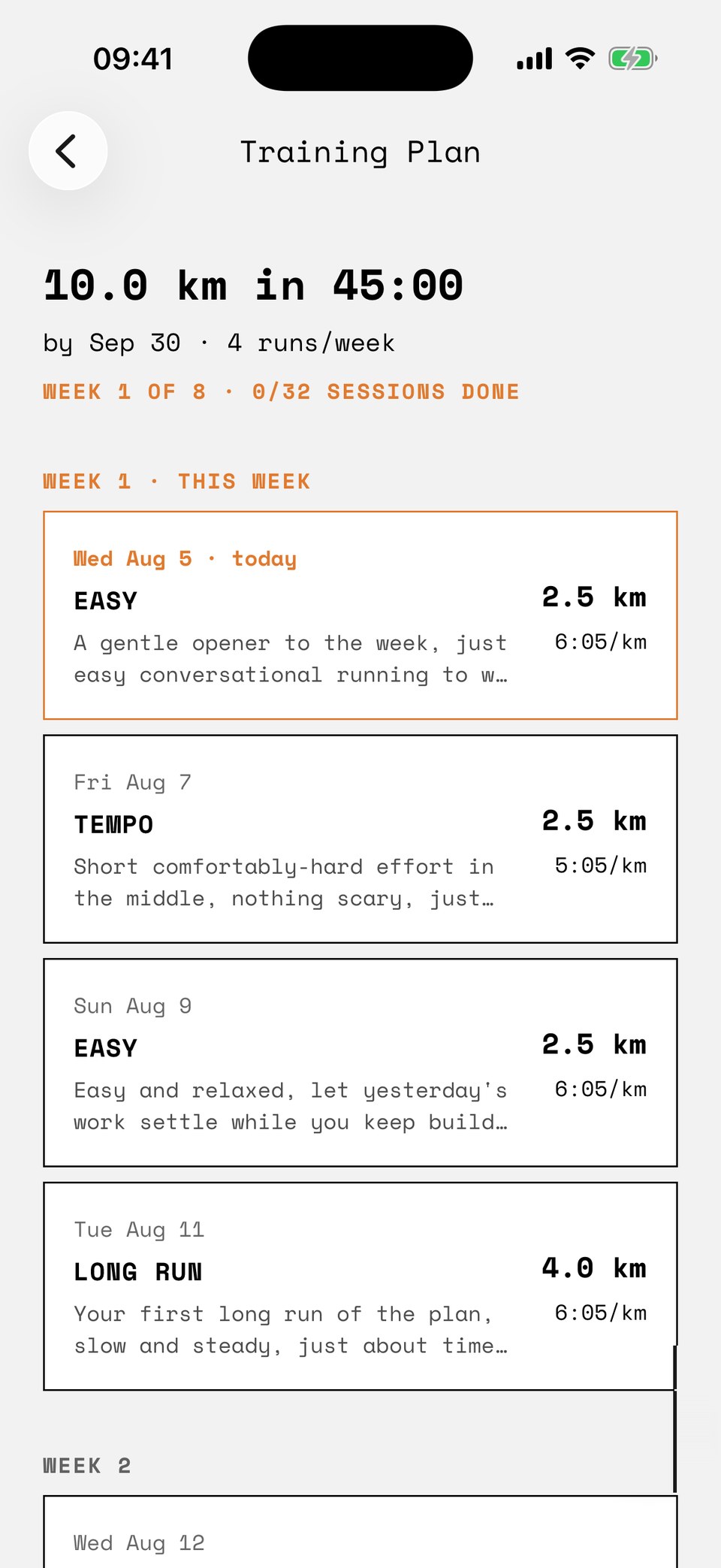
A classic block, paced to you.
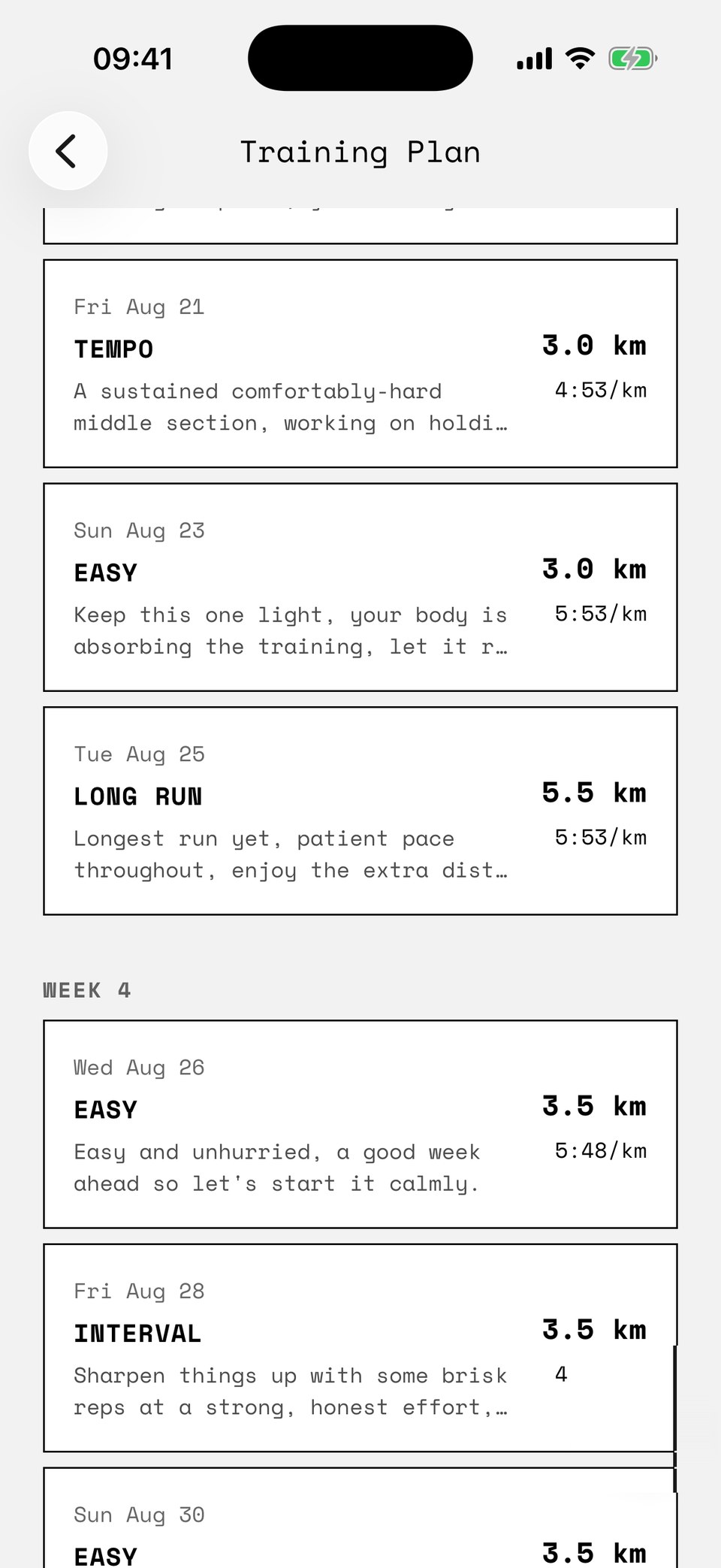
What comes back is the structure most coaches would draw. One long run a week, growing toward race distance. One quality session, tempo and intervals taking turns. Easy runs around them, and hard days never back to back. Paces ramp from your current fitness toward goal pace across the block. The final week tapers, and the race sits on its date.
The coach is instructed to keep weekly volume growth near ten percent. Your phone then enforces its own cap on top, and clamps any single session that comes back oversized.
Every session carries a written note from the coach. The numbers are in the columns. The note tells you how the session should feel.
Compiled on your phone.
Spoken in your ear.
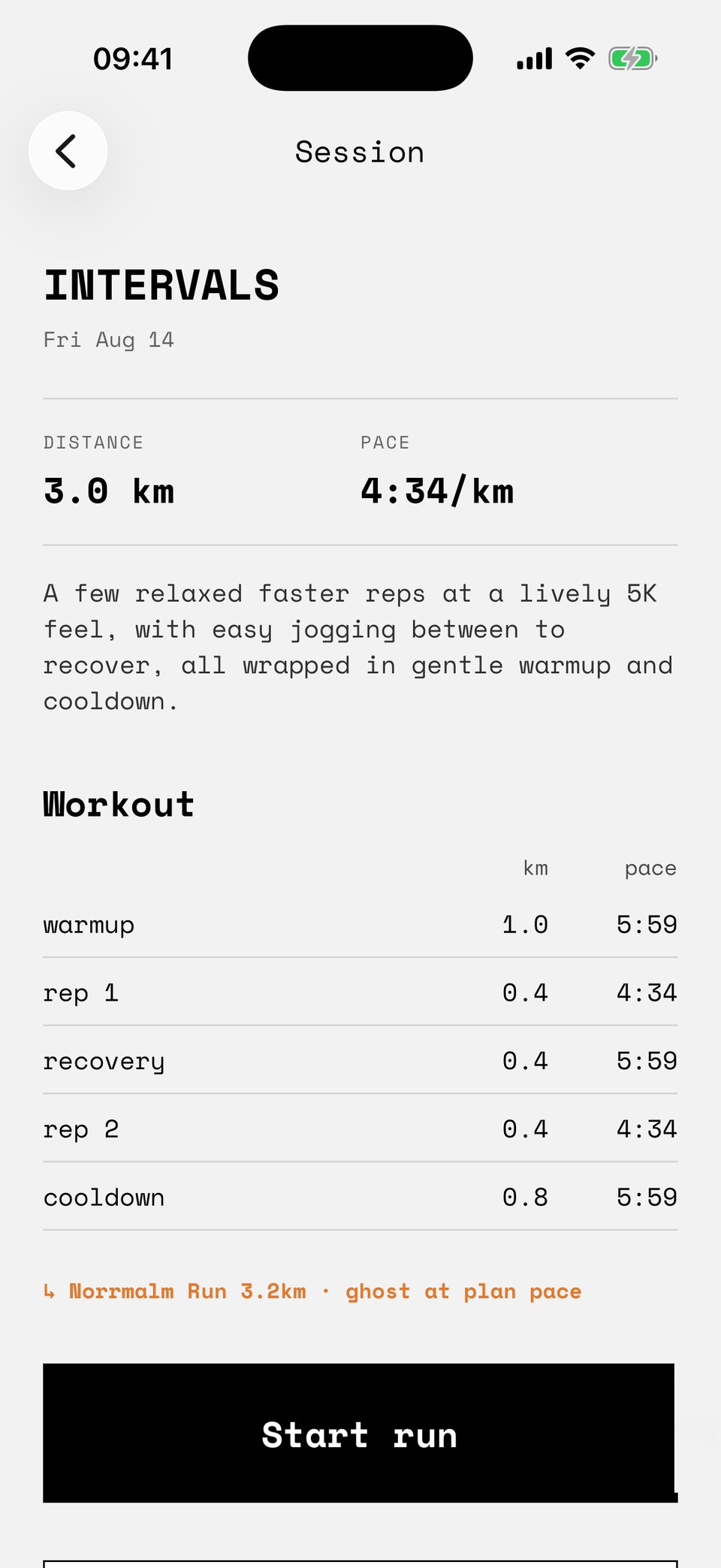
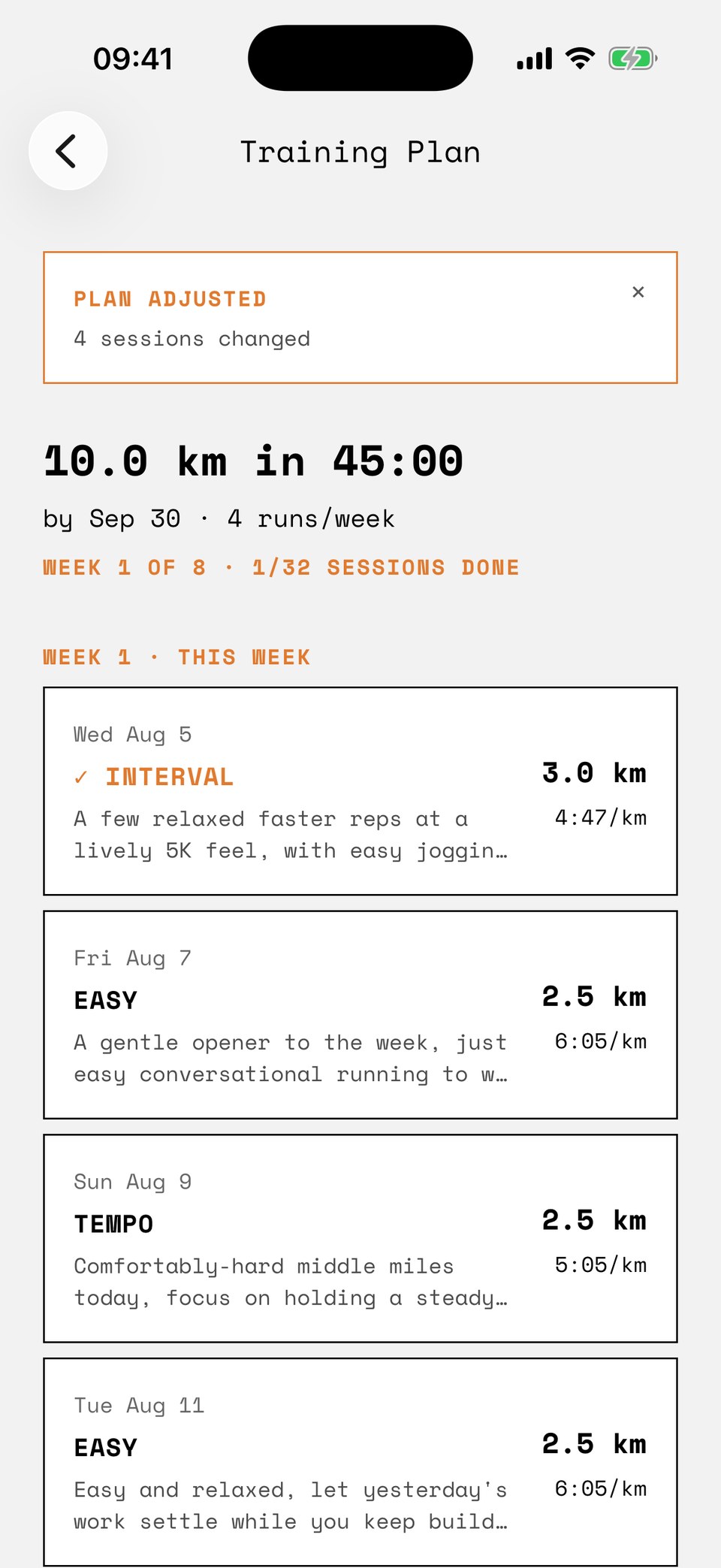
In the plan, a session is one line: type, distance, pace. When you start it, your phone expands that line into segments. Warmup, reps, recoveries, cooldown, all fitting inside the planned distance, each at a pace derived from the plan's own zones. You can see the whole structure before you put your shoes on.
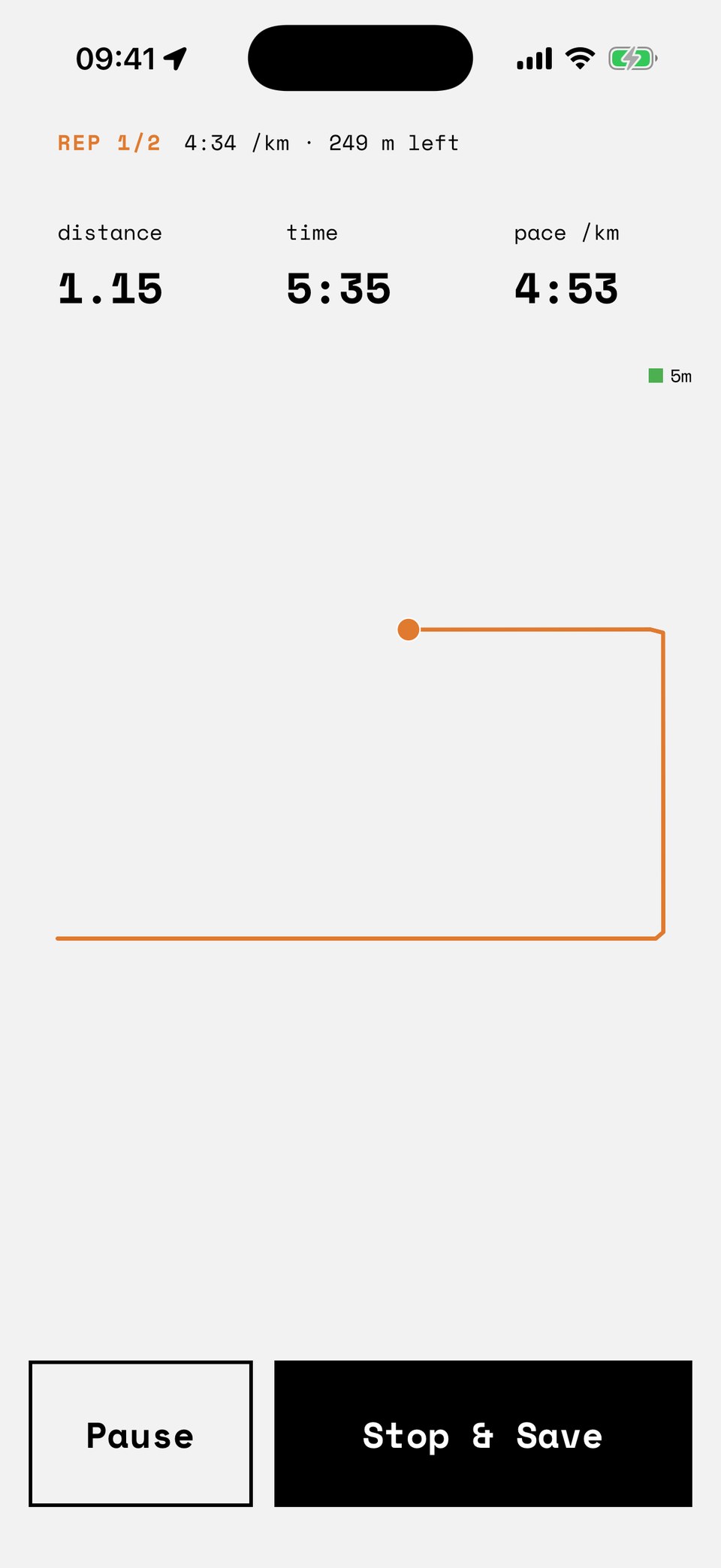
On the road, the coach speaks at each segment start ("Rep 2 of 2. 400 meters at 4 34. Go."), tells you when you drift off a work pace, and says exactly one thing on an easy segment: too fast. Slow on a recovery is the assignment, not a fault.
A guided run paces you against the plan's expected time for that session, not against your route's history. An easy Tuesday never races your personal best. Your ghosts keep doing that, on the runs you choose.
The coach's voice comes in three registers, Direct, Steady, and Warm, chosen in Settings. Tone only: every trigger and threshold is identical across all three, and none of them will hype you.
The plan answers back.
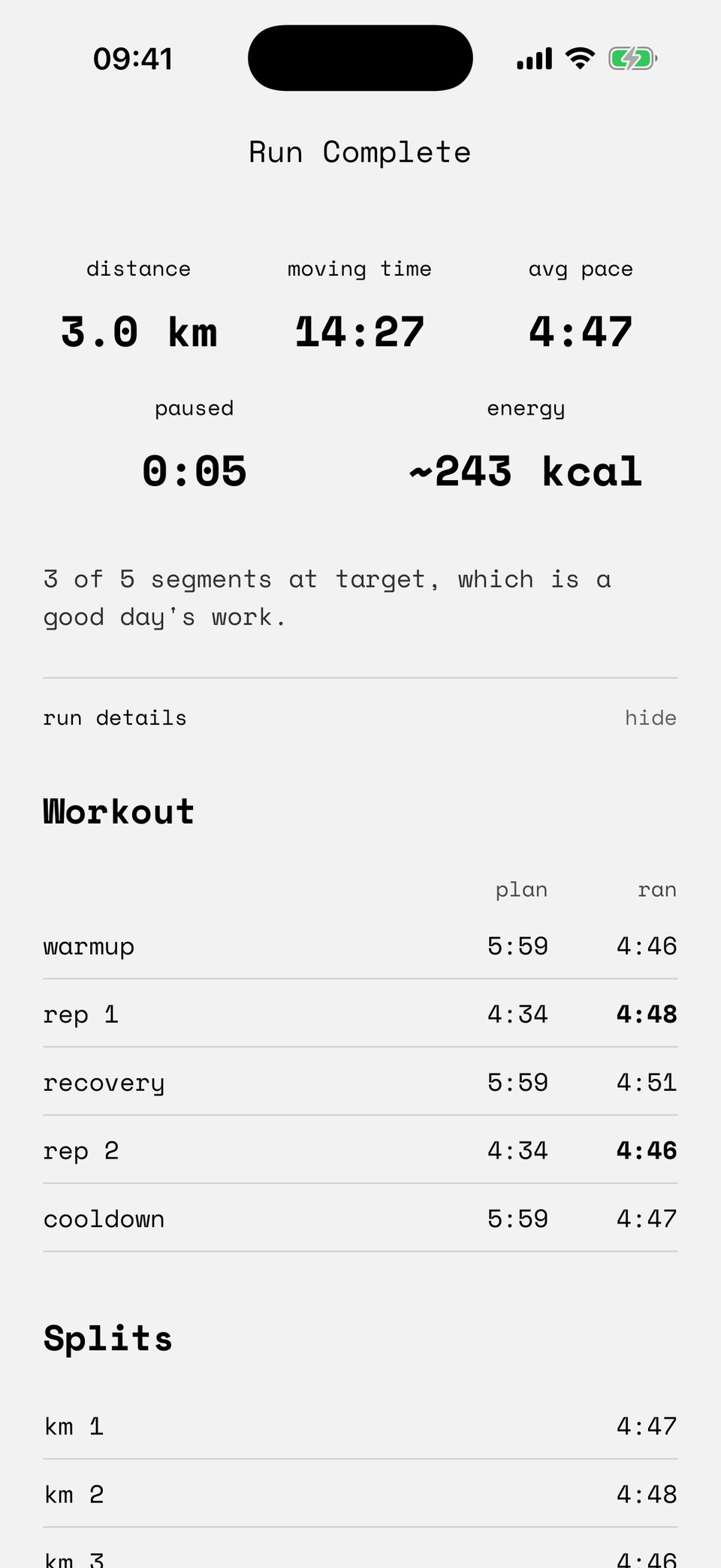
Every finished run is compared against what the plan asked for. Miss a session, run one much harder or much easier than planned, log a brutal effort, or simply go a week since the last check, and the coach re-fits the weeks ahead. Run to plan, and it leaves the plan alone. Either way you are told, not asked: the run summary states the decision before you tap Done, and afterwards a banner on the plan shows what changed. Or that nothing did.
The re-fit is guarded on your phone:
- At most two sessions added or removed at a time.
- The race is never moved, changed, or removed.
- A session you edited by hand is yours. The coach plans around it, never over it.
- At most one re-fit a day.
If a promised adjustment fails because you finished a run offline, the debt is remembered: the banner grows a Recalculate now button, and it stays until the coach has actually been reached.
What leaves your phone.
Sent to the coach
- Your goal: distance, target, date, runs per week.
- A summary of at most your ten most recent runs: distance, duration, pace, effort, and any note you wrote.
Never sent
- Your GPS coordinates and routes. Route matching happens on the phone.
- Your name, and anything from Apple Health.
- Your live runs. Voice coaching during a run is generated on the device, free, for everyone.
Questions.
How much does Dagg Pro cost?
$3.99 a month or $29.99 a year, after a one week free trial. It is billed through Apple and you can cancel anytime from your Apple subscription settings. In many countries outside the US, Apple also lets you pay the yearly plan in 12 monthly payments. That is a 12-month commitment: cancelling stops it renewing, but in most countries the remaining payments are still due. Prices in other countries are set by Apple and shown before you subscribe. Run tracking itself stays free forever, whether or not you subscribe.
Do I need an account for Dagg Pro?
Yes. Dagg Pro uses Sign in with Apple, so your plan and your subscription can follow you to a new phone. Run tracking needs no account at all: that part of the app never asks who you are.
What data does plan generation send off my phone?
Your goal and a summary of at most your ten most recent runs: distance, duration, pace, effort, and any note you wrote. Never your GPS coordinates, routes, name, or anything from Apple Health. Anthropic processes this only to return your plan and does not use it to train its models.
Does the plan change without asking me?
Yes, that is the point of a coach. After a run the app states what will happen on the run summary, before it happens. Afterwards a banner shows what changed, or that nothing did. Adjustments are guarded: at most two sessions added or removed at a time, the race is never touched, and a session you edited by hand is never overwritten.
What happens if the coach cannot be reached?
Your phone builds a starter plan on its own, with the same deterministic engine that powers the free plan builder on this site, and tells you that is what happened. A promised adjustment that fails is remembered and stays actionable until a coach round-trip completes.
Can I edit a session the coach planned?
Yes, distance and pace of any upcoming session. An edited session is yours: the coach is told about it and plans around it, and it is protected from being rewritten until you run it.
Train toward something.
Tracking is free. Dagg Pro is free for a week, so you can try a real plan before you pay.
Download on the App Store