Dagg on Apple Watch
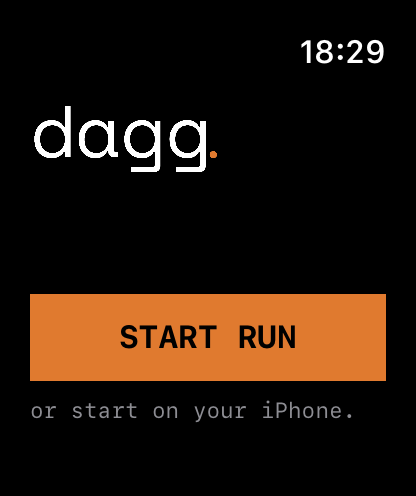
Dagg runs on Apple Watch on its own. Start from your wrist, leave the phone at home, and the run reaches your iPhone by itself when you get back.
Leave the phone at home
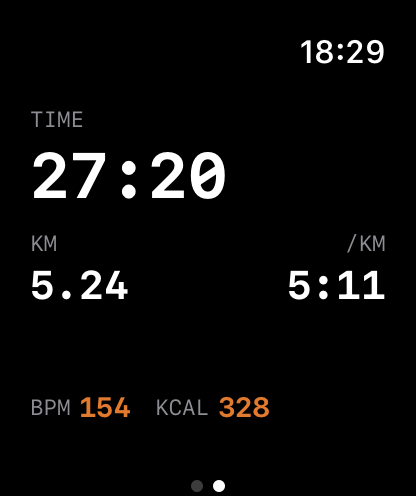
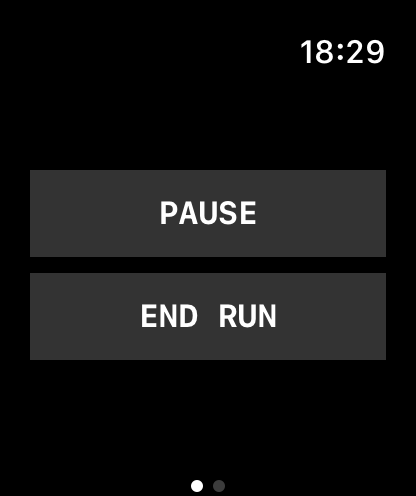
The watch app tracks runs on its own. It records the route with the watch’s own GPS and keeps time, distance and pace on screen, with heart rate alongside and a haptic at every kilometre so you can run without looking down.
Nothing needs to be started, unlocked or carried on the phone for this to work. You leave with a watch and come back with a run.
The run finds your phone by itself
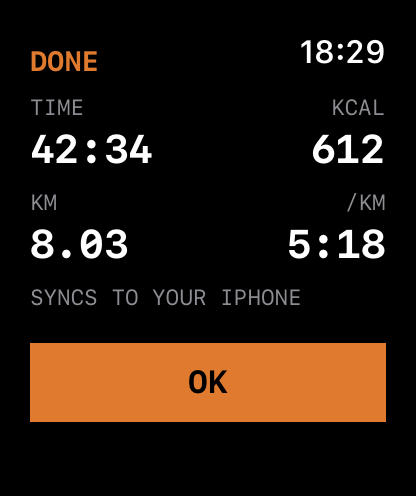
When you get back within range of your iPhone, the run moves across on its own, with its route, splits and heart rate intact. There is no export step and no sync button. The next time you open the app, the run is there, drawn as its shape.
Bring the phone instead, and the watch turns mirror
If the phone comes along, the watch stops being a second recorder and becomes a window onto the run the phone is tracking. Your stats stay readable at a glance on your wrist, and every coaching cue the phone speaks also arrives as a tap on the wrist. The phone can stay in a pocket for the whole run.
On the phone itself the run stays visible without unlocking, as a Live Activity on the lock screen and in the Dynamic Island.
What the watch shows you
- Elapsed time, distance and current pace
- Heart rate, recorded throughout
- A haptic at every kilometre, so you can keep your eyes up
- A tap on the wrist for each coaching cue when the phone is with you
Deliberately not on the watch: a feed, a follower count, a leaderboard, or a badge. Those do not exist anywhere in Dagg.
What it needs
| Apple Watch | watchOS 9.4 or later: Series 4 and later, both SE generations, and every Ultra |
|---|---|
| iPhone | iOS 16.4 or later |
| Account | None for run tracking. An account is only needed for the optional Dagg Pro subscription |
| Price | Free. The watch app is part of the free core, not a paid add-on |
Where your watch runs are kept
On your phone. Every run that comes across from the watch is stored on the device, and cloud sync stays off until you turn it on yourself. If you want the run in Apple Health as well, Dagg can write it there, and that is off until you allow it. Dagg reads nothing back out of Health.
The full detail is in the privacy policy.
Common questions
Can I run with Dagg on Apple Watch without my iPhone?
Yes. Dagg has a real standalone Apple Watch app, not a remote control for the phone. Start the run from your wrist and leave the phone at home: the watch records the route with its own GPS and tracks time, distance, pace and heart rate on its own.
Does the run transfer to my iPhone automatically?
Yes. When you get back within range of your iPhone the run moves across by itself, with its route, splits and heart rate intact. There is no export step and nothing to tap.
What happens if I bring my phone on the run?
The watch becomes a mirror of the phone rather than a second recorder. Your stats stay readable at a glance on your wrist, and every coaching cue the phone speaks also arrives as a tap on the wrist, so you can leave the phone in a pocket and never take it out.
Does Dagg track heart rate on Apple Watch?
Yes. Heart rate is recorded alongside time, distance and pace throughout the run, and it comes across to the iPhone with the rest of the run.
Which Apple Watch models does Dagg support?
Any Apple Watch running watchOS 9.4 or later, which covers Series 4 and later, both SE generations, and every Ultra. The paired iPhone needs iOS 16.4 or later.
Does Dagg save watch runs to Apple Health?
If you allow it. Dagg can write each run to Apple Health as a workout, and it is off until you turn it on. Dagg reads nothing back out of Health and never sends anything from Health off your device.
Get it on your wrist
The watch app installs with the iPhone app. Run tracking is free and needs no account.
Download Dagg on the App Store
See also: how Dagg compares with Strava, Runna and Nike Run Club.